



















TexasInstruments-Logo

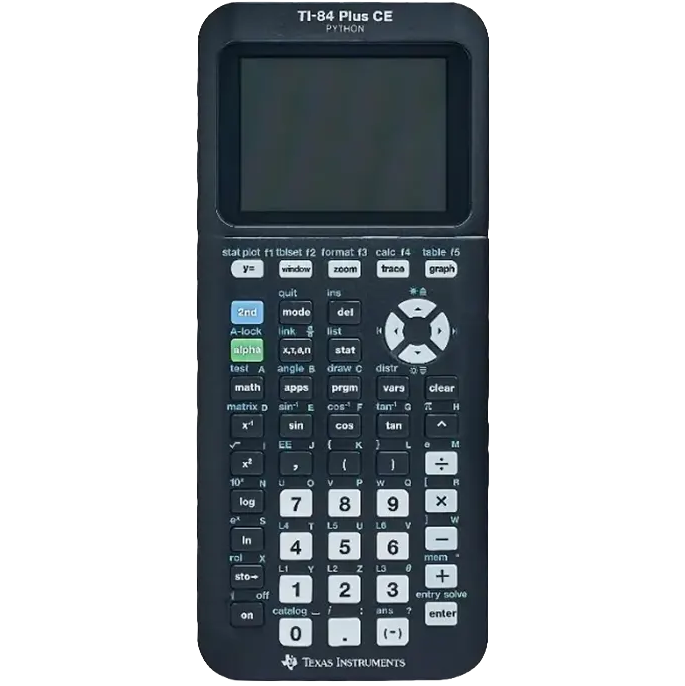
TI 84 Plus CE Python

Coding is a basic literacy in the digital age, and it is important for students to understand and be able to work with the technology around them. By adding a Python version to the TI-84 Plus CE graphing family, students can learn to program using the same dedicated, distraction-free tool they are already familiar with from math classes. Python is:

  • Easy to learn and use
  • Recommended for beginners and experienced programmers
  • Able to give students real-world experience that translates to many industries
  • One of the fastest-growing programming languages in the world
Approved for high stakes exams Can be utilized on the PSAT®, SAT® and ACT® college entrance exams, as well as IB® Diploma Programme and AP® exams that allow or require a graphing calculator.

Coding is a basic literacy in the digital age, and it is important for students to understand and be able to work with the technology around them. By adding a Python version to the TI-84 Plus CE graphing family, students can learn to program using the same dedicated, distraction-free tool they are already familiar with from math classes.

Python is:

  • Easy to learn and use
  • Recommended for beginners and experienced programmers
  • Able to give students real-world experience that translates to many industries
  • One of the fastest-growing programming languages in the world

Approved for high stakes exams

Can be utilized on the PSAT®, SAT® and ACT® college entrance exams, as well as IB® Diploma Programme and AP® exams that allow or require a graphing calculator.

Key Features

  • Lightweight, yet durable enough to withstand the demands of the classroom year after year.
You can use a USB cable to connect your calculator to a computer. Then, use TI Connect software to transfer programs and files.
Yes, you can update the operating system. Check the official Texas Instruments website for the latest OS updates and instructions.
Yes, the TI-84 Plus CE has built-in statistical functions. You can input data into lists and use various statistical tools from the STAT menu.
To reset the calculator, you can press the reset button given at the back of the calculator.
Yes, you can still use TI-BASIC programs on the Python Edition. It supports both Python and TI-BASIC programming languages.

Bulk Quote for

Texas Instruments

TI 84 Plus CE Python

Bulk Quote (Calculated Industries)

Bulk Quote for

Texas Instruments

TI 84 Plus CE Python

Bulk Quote (Canon)

Request for Demo

TI Graphing Calculator

TI Graphing Calculator Demo Request

Bulk Quote for

Texas Instruments

TI 84 Plus CE Python

Bulk Quote (TI)

Request for Demo

We're here to support your journey toward innovation and success

Demo Request - Software